












PlayFina Casino — Password Recovery and Secure Access
PlayFina Casino provides a secure login process with password recovery and two-factor authentication for players.
How to Log In to Your PlayFina Casino Account
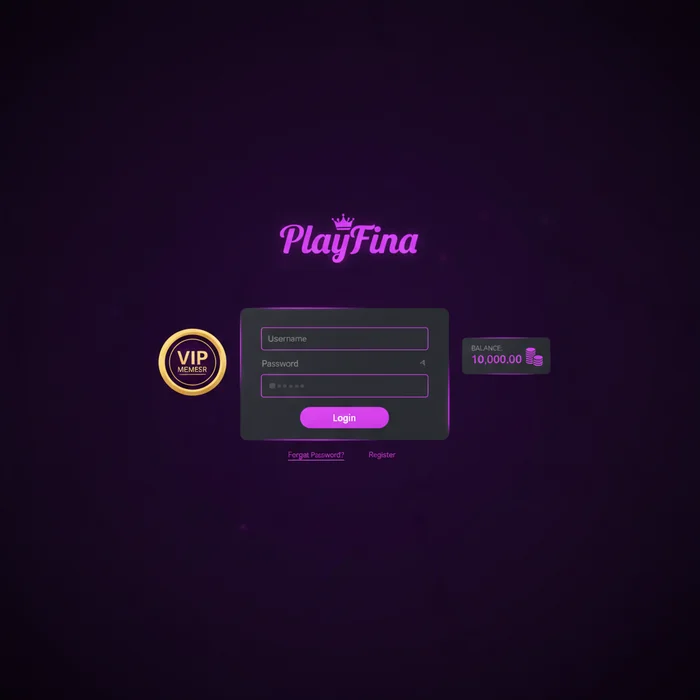
The PlayFina Casino login process is designed to be direct — no unnecessary redirects, no confusing menus. Head to our secure login page and you're one step away from your account dashboard, your active bonuses, and the full game library. Australian players in particular appreciate the streamlined interface, given how many access the platform during peak evening hours when server load can vary.
Once inside your account, you'll have immediate visibility over your current balance, any pending withdrawals, active promotional codes, and your position within our loyalty program. The VIP Lounge — where weekly cashback of up to 10% and personalised deposit match bonuses live — is accessible directly from the dashboard header.
Entering Your Credentials on the Official Login Page
Navigate to playfinacasino-au.net and locate the Sign In button in the top-right corner of the homepage. The login overlay loads inline — no separate page redirect — which keeps the process fast even on slower mobile connections common in regional Australian areas.
Enter the email address you registered with and your password. Both fields are case-sensitive; the password field masks input by default, but a visibility toggle sits on the right side of the field. If you're on a private device, this toggle helps catch typos before you submit.
Staying Logged In Safely Across Devices
The platform supports a Remember Me session token that keeps you logged in for up to 30 days on a recognised device. This is convenient for Australian players using a dedicated home desktop or personal laptop — but we strongly advise against enabling this on shared devices, work computers, or public terminals at internet cafés.
If you're switching between a home PC and a mobile browser, note that sessions are device-specific. Logging in on your phone does not automatically log out your desktop session. For security, we recommend manually ending sessions you're no longer using via the Active Sessions panel inside your account security settings.
Australian players who travel interstate frequently — or use VPNs for privacy — should be aware that logging in from a significantly different IP address may trigger an additional identity verification step. This is a protective measure, not a barrier, and typically resolves within 60 seconds via email confirmation.
Forgot Password: Resetting Your PlayFina Casino Login Credentials
Forgetting a password is the single most common reason players contact support — and it's entirely avoidable with the right recovery setup. Our self-service reset flow handles this without any wait time in most cases.
Password Recovery via Email: Step-by-Step Instructions
- Click "Forgot Password" on the login page. The link sits directly below the password input field.
- Enter your registered email address. This must exactly match the email you used during registration. Even a single character difference will return no results.
- Check your inbox within 5 minutes. Our system dispatches reset emails through a priority mail server. If nothing arrives after 5 minutes, check your spam or promotions folder — Australian email providers including Telstra BigPond and Gmail occasionally filter transactional messages.
- Click the reset link and create a new password. The link is valid for 30 minutes only. If it expires, repeat the process from Step 1. Your new password must be at least 8 characters and include one uppercase letter and one number.
If your registered email address is no longer accessible (e.g., a decommissioned work email or an old provider account), contact our support team directly with your full name and the last four digits of your verified payment method. Resolution in these cases typically takes 24–48 hours.
Two-Factor Authentication and Account Security Settings
Australian gambling culture has shifted noticeably toward digital-first play, and with that shift comes increased responsibility around account security. We've built our 2FA system to be practical rather than obstructive — it adds a meaningful layer of protection without slowing down your login experience once it's configured.
Enabling Extra Login Protection on Your Profile
Two-factor authentication is available under Account Settings → Security. We support authenticator apps (Google Authenticator and Authy are both compatible) as well as SMS-based codes delivered to your verified Australian mobile number. Authenticator apps are the more secure option; SMS codes can be intercepted in rare SIM-swap scenarios.
Once enabled, every new login from an unrecognised device will require a 6-digit code in addition to your password. Recognised devices — those you've previously approved — skip the 2FA step for 30 days. This means your daily home setup stays frictionless while unfamiliar devices face the full verification barrier.
What to Do If Your Account Is Locked or Suspended
After 5 consecutive failed login attempts, the platform automatically locks access for a 15-minute cooldown period. This threshold is below the industry average of 10 attempts, which reflects our more conservative approach to brute-force protection. After the cooldown, you receive 3 additional attempts before a longer lock requiring support intervention.
Account suspension is a separate matter. Common triggers include incomplete KYC documentation (Australian players must verify identity under anti-money-laundering obligations), extended inactivity exceeding 12 months, or a detected breach of our terms — such as bonus abuse patterns. If your account is suspended, you'll receive an email outlining the reason. Appeals are handled within 3–5 business days.
Australia's National Self-Exclusion Register, operated through the National Self-Exclusion Scheme, allows players to voluntarily restrict access across multiple platforms. If you've registered with this scheme and wish to re-evaluate your status, contact our responsible gambling team. We also maintain our own internal self-exclusion tool under Account Settings → Responsible Gambling, which can be activated immediately for periods of 1 week, 1 month, 3 months, 6 months, or permanently.
Logging In on Mobile Browsers Without the Dedicated App
A significant portion of Australian players access the platform exclusively through mobile browsers — Safari on iPhone and Chrome on Android account for the majority of mobile sessions. Our mobile login experience is optimised for both, with touch-friendly input fields and a layout that adapts cleanly to screens from 375px width upward.
Mobile Login Compatibility Across iOS and Android Browsers
On iOS (Safari), the login overlay renders correctly from iOS 14 onward. Face ID and Touch ID can be used to autofill saved credentials via the iCloud Keychain — this is the closest equivalent to biometric login on iOS without a native app. The process: save your PlayFina Casino login credentials to Keychain on first login, then authenticate with Face ID on subsequent visits.
On Android (Chrome), Google Password Manager handles credential autofill. Android 10 and above also supports biometric autofill — when your saved credentials are detected, Chrome prompts fingerprint authentication before populating the fields. This works on most mid-range and flagship Android devices common in the Australian market, including Samsung Galaxy and Google Pixel lines.
If you prefer a more app-like experience with faster load times and push notifications for bonus activations, visit our mobile app page for installation instructions. The app is available as a direct download for both iOS and Android — it is not listed on the App Store or Google Play due to platform policies around real-money gaming, which is standard practice for Australian casino operators.
PlayFina Casino Login Methods: Quick Comparison
Not all login methods carry the same security profile or convenience level. Here's how each option available on the platform stacks up for Australian players in 2026:
| Login Method | Availability | Security Level | Notes |
|---|---|---|---|
| Email + Password | All devices | Standard | Baseline method; pair with 2FA for stronger protection |
| Email + Password + 2FA (Authenticator App) | All devices | High | Recommended for all players; Google Authenticator & Authy supported |
| Email + Password + 2FA (SMS) | Mobile-verified accounts | Medium-High | Requires verified AU mobile number; less secure than app-based 2FA |
| Mobile App Login (Biometric) | iOS & Android app | High | Face ID / fingerprint via PlayFina app; fastest daily login method |
| Browser Autofill (Keychain / Google PM) | Mobile browsers | Medium | Convenient but dependent on device security settings |
For players accessing the platform from a single trusted device daily, the mobile app with biometric authentication offers the best balance of speed and security. For players on multiple devices, email + password + authenticator app 2FA is the configuration we recommend.
Start Playing with PlayFina Casino Today
Your account is the gateway to everything the platform offers — the multi-deposit welcome bonus (starting with 100% up to $500 plus 200 free spins on your first deposit), the VIP Lounge with up to 10% weekly cashback, and the full game library. Getting in should never be the friction point.
If you're an existing player, head directly to the PlayFina login page and use the tips in this guide to streamline your access. Enable 2FA today if you haven't already — it takes under 3 minutes and protects everything tied to your account: balance, bonuses, and withdrawal history.
New to the platform? Australian players can create a PlayFina account in under 4 minutes. Your first deposit bonus activates automatically with code FIRST — no manual claiming required. Visit our promotions page for the full welcome offer breakdown before you deposit.
Secure access, consistent rewards, and a platform built for the way Australians actually play — that's what PlayFina Casino delivers every session.